
Digital
Pattern digitizing: from paper pattern to digital file
In short
Pattern digitizing converts a paper pattern into a digital CAD file with the same pieces, notches, grainlines and seam allowances. I digitize, clean and check each piece, then export it in the format your factory or workshop uses. It is the first step before digital grading, marker making or plotting.
By Youssef Abdessamad·Updated on
Pricing
On quote
Free quote, prepared after reviewing your design
- Turnaround
- Depends on complexity, confirmed in the quote
- Delivery
- Digital files, printing on request
- Software
- Lectra, Gerber AccuMark
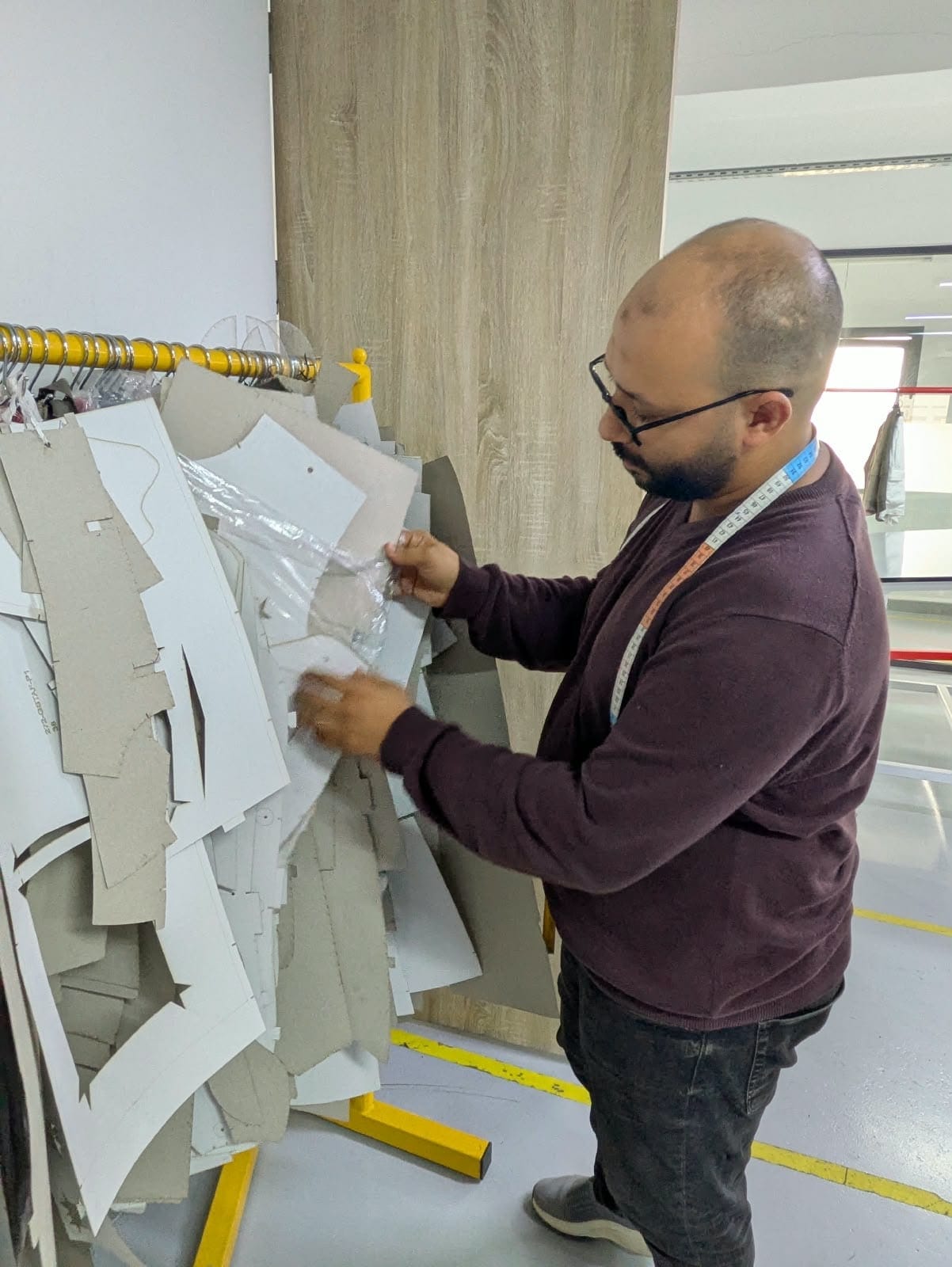
Many brands and workshops hold years of work on paper or card: blocks, approved styles, patterns from a former pattern maker. As long as they stay on paper, they cannot be graded digitally, sent to a factory abroad or placed in marker software. Digitizing turns them into working files.
Digitizing is more than tracing. Paper stretches, card edges wear and old patterns carry corrections in pencil. I check each piece: seam lengths that should match, notches that should align, curves that should be smooth. Where the original is inconsistent, I flag it and correct it with your agreement, so the digital file is cleaner than the paper it came from.
Once digital, the pattern can be graded, corrected or printed. For the full picture, see from paper pattern to digital.
What’s included
Piece capture
Each paper piece is captured with its outline, internal lines, notches, drill holes and grainline.
Cleaning
Curves are smoothed, points are reduced to what the pattern needs, and piece outlines are closed.
Consistency checks
Matching seams are measured and notches aligned; discrepancies are reported to you.
Piece information
Names, sizes, cut quantities and fabric information are added to each piece.
Export
Files delivered in DXF-AAMA or DXF-ASTM, PLT or PDF, depending on your use. See formats.
Deliverables
- Digital pattern pieces matching the original
- Notches, drill holes, grainlines and internal lines
- Piece labels and cut quantities
- Report of inconsistencies found in the paper original
- Files in the agreed format (DXF-AAMA, DXF-ASTM, PLT or PDF)
Who it’s for
- Fashion brands with an archive of paper patterns
- Garment workshops moving to CAD
- Factories receiving paper patterns from clients
- Designers wanting to reuse existing blocks
- Manufacturers preparing patterns for automated cutting
How it works
- 1
Inventory
You list the patterns and pieces to digitize and send photos so I can assess their condition.
- 2
Sending the patterns
Paper patterns are sent to me, or captured following instructions I give you when working remotely.
- 3
Digitizing and cleaning
Each piece is captured, cleaned and labeled.
- 4
Checks and report
I check seam matches and notches and list any inconsistencies found in the original.
- 5
Delivery
Digital files are delivered in the agreed format, with a PDF overview.
Why a digitized pattern must be checked, not just traced
Paper is not a stable material. Humidity and handling can change its dimensions slightly, and card patterns wear at the edges where they have been traced around hundreds of times. A trace that follows the paper exactly can carry those small distortions into the file, and in production they add up across pieces.
That is why I measure matching seams after capture. A side seam on the front and back should be the same length, or differ only by an intentional amount of ease. If they differ by a few millimeters with no reason, I flag it. The same applies to notches: they should align piece to piece, otherwise the sewing room will distribute ease unevenly.
The seam allowance question must also be settled. Some paper patterns are drawn on the stitching line (net), others include allowances (gross). The digital file must state which, because marker and cutting software treat them differently.
- Net vs gross pattern
- A net pattern has no seam allowance; a gross pattern includes it. Mixing the two in one file causes cutting errors.
- Notch alignment
- Notches on matching seams must line up so ease is placed exactly where it was designed.
- Grainline
- Must be captured precisely: a slight angle error changes how the piece hangs once cut.
- Point reduction
- Keeping only the points needed to define each curve, so the pattern grades and plots cleanly.
Before sending paper patterns
Label every piece with style, size and cut quantity, and keep pieces of one style together.
Do not fold or roll patterns tightly; creases distort the shape.
Mark clearly whether seam allowances are included or not.
Send the latest corrected version, not an older one with pencil changes elsewhere.
Delivery formats
- DXF-AAMAPattern exchange between textile CAD systems (Lectra, CLO 3D, Gerber, Optitex…).
- DXF-ASTMStandardized variant (ASTM D6673) used by some manufacturers and software.
- Full-scale PDFPrinting on a wide-format plotter or on tiled sheets, and technical documentation.
- PLT / HPGLDirect output to a workshop plotter.
Available formats depend on the software used and the project requirements.
Pricing
Pricing
On quote
Free quote, prepared after reviewing your design
Priced on a free quote, based on the number and size of pieces, the condition of the originals and whether grading or corrections are added. See pricing.
Frequently asked questions
Can I digitize my patterns without sending the originals?
Will my paper patterns be returned?
Can you grade the pattern after digitizing it?
What if the original pattern has errors?
Related services
- Digital pattern makingGarment patterns drafted directly in CAD, ready to grade, plot and share with any factory.
- Pattern correctionDiagnosis and correction of patterns that fit badly or cause problems at the sewing stage.
- Pattern gradingEvery size in your range, graded from your approved base pattern with rules built on your size chart.
Further reading
How to turn a paper pattern into a digital pattern
Digitizing is more than tracing. A usable digital pattern needs clean outlines, recognized notches and grainlines, and seams that still walk.
Read articleWhat is a DXF pattern file? AAMA vs ASTM explained
DXF is the common language between pattern CAD systems, but not every DXF is a pattern file. Here is what AAMA and ASTM variants contain and how to avoid import problems.
Read article
Tell me about your project.
Send your references and technical requirements. Every project is assessed according to its level of complexity.